Why You Need an AI Agent
Today, almost half of my work is done by an AI agent.
I develop software solo — product, sales, support, everything. A few weeks ago I discovered OpenClaw. Since then I use it every day. And it's already behind almost 50% of what I do.
If you work alone, you know: you spend more time on small tasks than building what matters. Hiring is expensive. Delegating without context doesn't work. And typical AI helps, yes. But it doesn't live with you.
ChatGPT has memory. But it's memory you don't control, in a chat window that has no access to anything outside of it. It doesn't understand your system, your business, your tools or your real priorities.
OpenClaw is an open source project that turns any model — Claude, GPT, Gemini, Qwen — into an agent with full control of a computer. If it can be done from a terminal or an API, OpenClaw can do it.
You install it on a server, connect it to WhatsApp, Telegram or Discord, and control it from there. And it doesn't just respond: it executes whatever you want on the machine.
- Build projects with Claude Code and manage tasks with Notion
- Chat with full context of your clients — emails, users in the DB, logs
- Write SEO-optimized posts and leave them ready to publish
- Feed it all the context you want about your business
In the end, it does everything that's possible on a computer and I do it just by chatting with it.
In this guide I'll show you how to set it up without complications: my exact setups, how to optimize token spending, and how to train its memory so it increasingly feels like working with someone who truly understands your project.
Installation with Hostinger
Why a VPS and Not Your Laptop?
The first decision is whether to install it on a computer or in the cloud. Short answer: never on your laptop.
A 24/7 agent needs a place that's on 24/7. If you run it on your laptop, as soon as you close the lid or it goes to sleep… the agent dies. It won't respond at 3 AM, it won't check anything while you sleep. Dead.
A cloud VPS gives you an agent that's always on and awake, without depending on your laptop.
Step 1: Choose the Plan
Head to Hostinger. They recently added an OpenClaw template directly. Before, you had to set everything up manually — SSH, install dependencies, configure Node… Now it's one click.
My recommendation: KVM2. KVM1 works for a bare-bones OpenClaw, but as soon as you want to do more — spin up a Next.js project, run tests, deploy something — you'll run out of RAM. With KVM2 you're covered.
For the period, 24 months. The savings are worth it. And if you need to change anything later — plan, period, whatever — you can. You're not locked in.
Step 2: Apply the Coupon
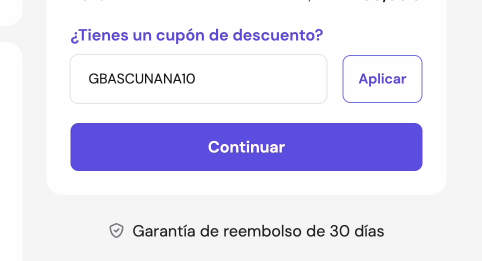
Before paying, enter the coupon. The discount is significant — check the price difference.
Step 3: Select the Template
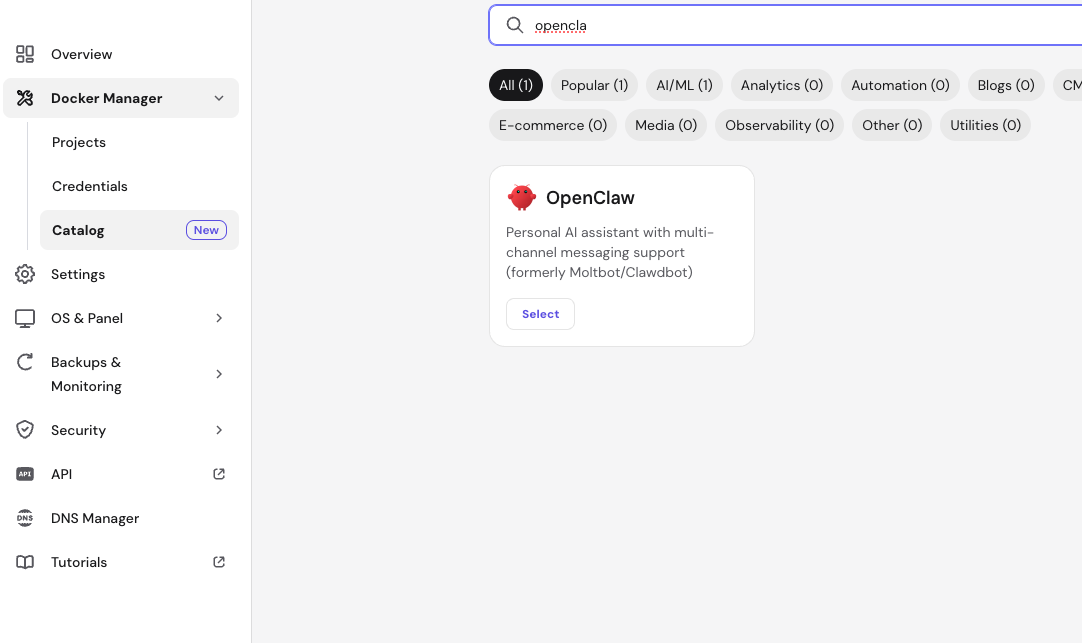
We now have the VPS running. In the panel, select the OpenClaw template and that's it. Everything installs itself.
It's multi-model — Claude, GPT, Gemini, whatever you want. This is key for optimizing costs later.
Connecting Your Claude Subscription
Requirement: you need Claude Code installed and logged in on your local machine (your laptop/PC). If you don't have it yet, install it from the official docs and log in with your Claude account.
Once you have Claude Code running locally, open your terminal and generate the session token:
# In your local terminal (where you have Claude Code installed):
claude setup-token
# Generates a token linked to your subscription — copy it
Copy the token. Now, in your VPS terminal (or from the Hostinger panel):
# 1. List running containers
docker ps

# 2. Enter the OpenClaw container
docker exec -it openclaw-pprt-openclaw-1 bash

# 3. Set up the Claude token
openclaw models auth setup-token --provider anthropic
# It will ask if you've run "claude setup-token" → Yes
# Paste the token you copied
I have the Max plan at $90/month and I almost never go past 30% of daily usage. On a really crazy day I hit 60% giving it a ton of work. Fixed cost, predictable, no surprises at the end of the month.
The "Employee" Setup: The 4 Key Files
We now have OpenClaw running. But right now it's a generic agent. It knows nothing about you. It's like an employee's first day — has potential, but has no idea how things work here.
That's fixed with four text files. They'll turn this agent into your agent.
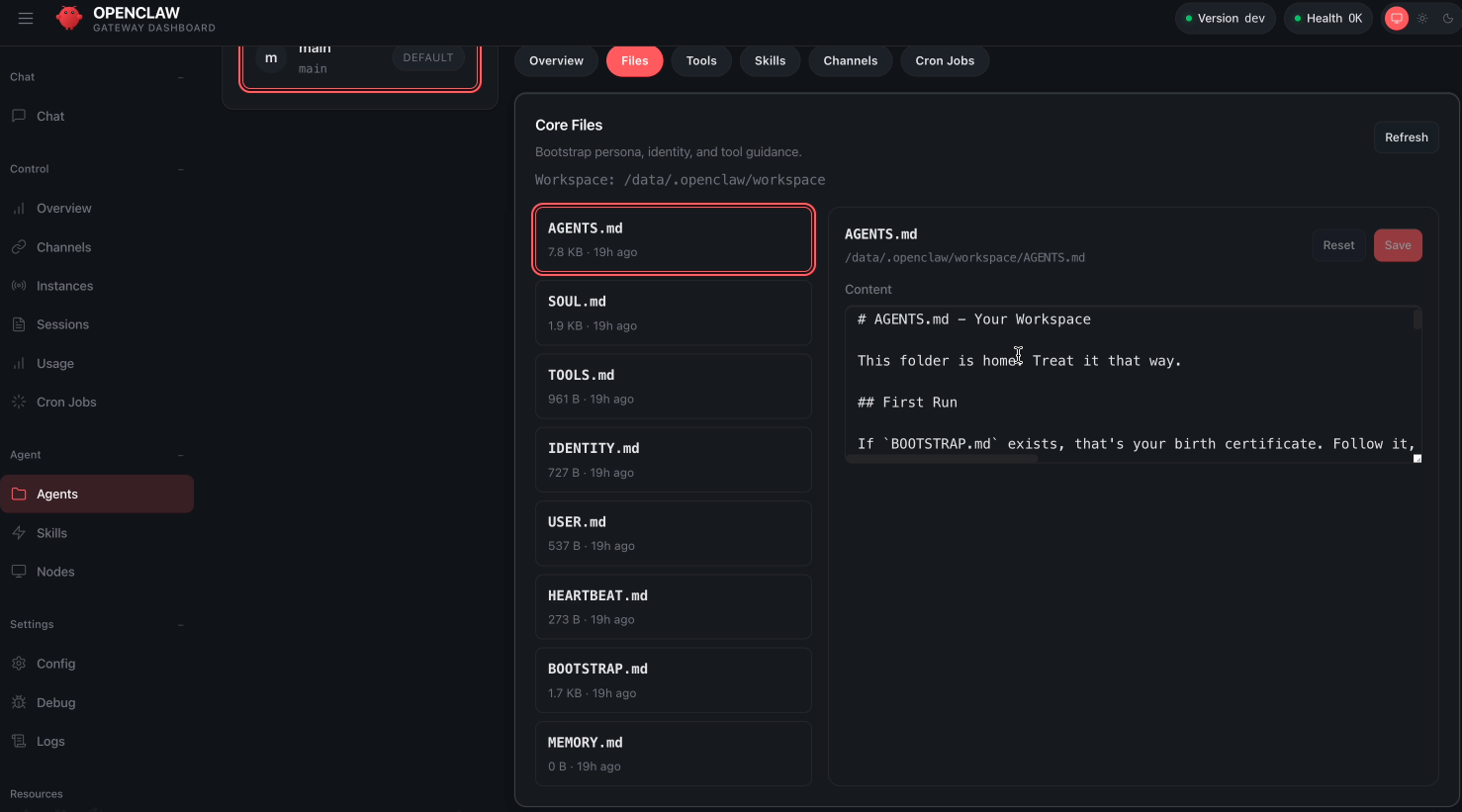
SOUL.md — The Personality
SOUL.md is the agent's character. You define the tone — direct, informal, professional, whatever you want. The language. And most importantly: the limits. What it can do on its own and what it needs to ask you about.
Without this, the agent talks like a manual. With this, it talks like someone on your team.
# SOUL.md - Who You Are

## Core
- Be concise. Don't ask permission to read files or search things.
- Before sending an email or publishing something — ask.
- Be action-oriented. Don't ask me twenty questions before doing anything.
- Language: English always.
- Tone: direct, informal, like a teammate.

## Limits
- Never exfiltrate private data.
- Don't run destructive commands without asking.
- trash > rm (recoverable always wins).

## Proactivity
- If you see something you can improve without breaking anything — do it.
- If you're not sure — ask.
Change it whenever you want. Edit the file, restart, new personality.
USER.md — Who You Are
USER.md is your context. Who you are, what you do, timezone, preferences. Sounds simple. Changes everything.
If it knows you're a developer in European timezone, it won't explain things like you're a beginner or send alerts at 4 AM. If it knows you have three SaaS products, when you say "check the tasks" it already knows which projects you're talking about.
# USER.md - About You

## Data
- **Name:** [Your name]
- **Timezone:** Europe/Madrid
- **Language:** English
- **Email:** you@email.com

## What you do
- Indie hacker with 3 SaaS products
- Stack: Next.js, TypeScript, PostgreSQL
- Current priority: launch [product name]

## Preferences
- Don't wake me between 11PM and 8AM
- Short summaries, no walls of text
- Clean code > fast code
Without USER.md it works blind. With USER.md it has context from minute one.
MEMORY.md — The Brain
Now the most important file. This is what separates OpenClaw from any other AI tool.
MEMORY.md is long-term memory. It stores what it learns about you — projects, decisions, preferences, things you told it weeks ago. Next time you talk, it doesn't start from zero. It remembers.
And that's powerful. Because with any normal AI chat — yes, they have some memory, but you don't control it. You can't edit it, you can't see exactly what it remembers, you can't prune it. With OpenClaw it's a text file you read, edit and manage.
# MEMORY.md - Long Term Memory

## Active Projects
- **MySaaS** — management app for freelancers
  - Repo: github.com/user/mysaas
  - Stack: Next.js 14, Drizzle, PostgreSQL
  - Status: closed beta, 12 users
  - Deploy: Vercel

## Important Decisions
- 2026-03-01: Switched from Prisma to Drizzle (lighter, better DX)
- 2026-02-15: Pricing defined: $9/mo starter, $29/mo pro

## Business Context
- Newsletter: 450 subscribers
- Revenue: $180 MRR
- Q1 Goal: reach $500 MRR
You tell it once "my main product is this, the repo is here, deployment goes like this" and it knows. Forever.
⚠️ Important
HEARTBEAT.md — The Proactive Agent
Last file. And this is the one that changes the rules.
A heartbeat is a pulse. Every X minutes — you decide how often — the agent wakes up on its own, reads this file, and executes what you've put there.
# HEARTBEAT.md

## Checks (each pulse)
1. Any urgent unread emails?
2. Any tasks assigned in Notion?
3. Any calendar event in the next 2 hours?

## Rules
- Between 11PM and 8AM → emergencies only
- If nothing → HEARTBEAT_OK (don't bother me)
- Max 3 checks per pulse (control tokens)
Without heartbeat, the agent is passive. Only responds when you talk to it. With heartbeat, it works while you're away. And that's half the value.
But: each pulse consumes tokens. If you add fifteen checks, each pulse costs you. Two or three well-chosen ones is ideal.
openclaw config
# Find the "heartbeat" section and adjust the interval (in minutes)
# Recommendation: 30-60 minutes
Common Mistakes
Mistake 1: Wrong Model
You don't need the most powerful model for everything. If the agent only checks emails and moves tasks, a lightweight model is more than enough. Save the big one for when you really need it.
You can switch models on the fly:
# In conversation with the agent:
/model haiku     # For simple tasks (cheap)
/model sonnet    # For regular work
/model opus      # For complex tasks (expensive)
Mistake 2: Heartbeat Not Configured
The agent is sitting there waiting for you to talk to it. You're leaving half the value on the table.
By default, the heartbeat launches with a ton of context. That burns tokens unnecessarily. But it can be optimized — I explain below.
Memory and Tokens: How Not to Go Broke
Every time you send a message — doesn't matter if it's "what time is it" — it doesn't just receive your message. It receives EVERYTHING: your SOUL, your USER, your MEMORY, the history, the skills. All together. Every time.
That's measured in tokens. And with API, each token costs:
| Model | Cost per 1M tokens (input) | Recommended use |
|---|---|---|
| Claude Haiku | $0.25 | Simple tasks, heartbeats |
| Claude Sonnet | $3.00 | Daily work |
| Claude Opus | $5.00 | Complex tasks |
A simple question can spend 13,000 tokens just on context. Multiply that by 50 messages a day. If you don't control it, that's where the big bills come from.
The Infinite Memory Problem
The mistake everyone makes at first: the agent writes everything it learns to MEMORY.md. Weeks pass, the file grows. Old, repeated, contradictory information. And it loads entirely with every message.
More memory = more tokens = more money = slower.
And not only that — there's a context limit. No matter how much it grows, many things will be left out. And you'll see it starts getting dumb and forgetting things you told it 2 messages ago.
Layered Memory
The solution comes from a post by Nat Eliason on agentic personal knowledge management. The idea: don't put everything in a single file. Build a layered memory system — like a real brain.
I told my agent: "implement this" and passed it the whole post. In ten minutes it had everything set up.
Layer 1 — MEMORY.md (always loaded)
The executive summary: who you are, active projects, key decisions. Short. Mine has about 300 lines. If it grows, it gets pruned.
# Optimized MEMORY.md (~300 lines)

## Me
- Indie hacker, 3 active SaaS products
- Main stack: Next.js, TypeScript, PostgreSQL

## Projects
- **MySaaS** — beta, 12 users, $180 MRR
- **OtherSaaS** — in development, launch Q2

## Recent decisions
- Drizzle > Prisma (March 2026)
- Pricing: $9/$29 (February 2026)

## This week's priority
- Close feature X for MySaaS
- Publish blog post about Y
Layer 2 — Daily Notes (not loaded automatically)
One file per day: memory/2026-03-17.md. What happened today, decisions, context. Created automatically. And they don't load automatically — only when the agent needs to look back.
# memory/2026-03-17.md
## What happened today
- Reviewed PRs #45 and #46 — merged
- Bug in checkout: email field wasn't validating format
- Decision: use Resend for transactional emails
Layer 3 — Life Knowledge Graph
A life/ folder with a PARA-style structure — Projects, Areas, Resources, Archives. Inside, each entity has two files:
summary.md — the quick summary. items.json — atomic facts with a temperature (decay) field:
[
  {
    "fact": "Uses Drizzle as main ORM",
    "category": "tech",
    "date": "2026-03-01",
    "temperature": "hot",
    "lastAccessed": "2026-03-15"
  },
  {
    "fact": "Pricing: $9/mo starter, $29/mo pro",
    "category": "business",
    "date": "2026-02-15",
    "temperature": "warm",
    "lastAccessed": "2026-03-01"
  }
]
🔥 Hot
🟡 Warm
🧊 Cold
Result: instead of loading your entire life in every message, it loads only what's needed.
Semantic Search with QMD
QMD is a local indexing tool that sits on top of your file base. It indexes markdown files into a SQLite database and allows searching by meaning, not just keywords.
# Install QMD
npm install -g qmd

# Index your memory files
qmd update

# Generate embeddings for semantic search
qmd embed
OpenClaw has a native tool: memory_search. Instead of loading 100KB of files, the agent searches for the exact fragment it needs.
You ask "what did we decide about pricing?" — it searches all layers, finds the daily note where you discussed it, and responds. Without loading anything else.
Optimizing the Heartbeat
Each heartbeat pulse consumes tokens. My HEARTBEAT.md has three things: check tasks, check urgencies, update status. That's it.
If you need more, use cron jobs — they run in isolated sessions without loading all the main chat context:
# Example: check emails every day at 9:00
# Configured from the conversation with the agent:
"Create a cron job that checks my emails every day at 9 AM
 and sends me a summary of the 10 most important ones."
The /new Trick
What few people use: /new.
When a conversation gets long, context keeps growing. Each message drags all the previous ones. At some point you're sending 50 messages of history for a simple question.
/new/new clears the history. New conversation, fresh context. Memory is still there — MEMORY.md doesn't get deleted — but the chat starts clean.
I do this every time I switch topics. Finish a task, /new, start the next one. It's a habit that saves you tokens without losing anything.
/new so it saves anything important from the current conversation to memory.The Result
Layered memory + semantic search + minimal heartbeat = up to 80% fewer tokens.
Faster responses, lower bills, and a more precise agent because it doesn't get lost in noise.
- Keep MEMORY.md short
- Layered memory
- Periodic cleanup — let the agent prune its own memory
Skills and Real Use Cases
OpenClaw on its own is a brain. Skills are the hands. Plugins that teach it to use tools: GitHub, Notion, Gmail, whatever you need.
Install them with a command — there are over 10,000 on ClawHub:
# Install a skill
clawhub install skill-name

# Update all skills
clawhub update --all
If an API key is missing, the agent tells you which one. But instead of listing skills, I'll show you directly how I use them.
1. Notion → GitHub → Deploy
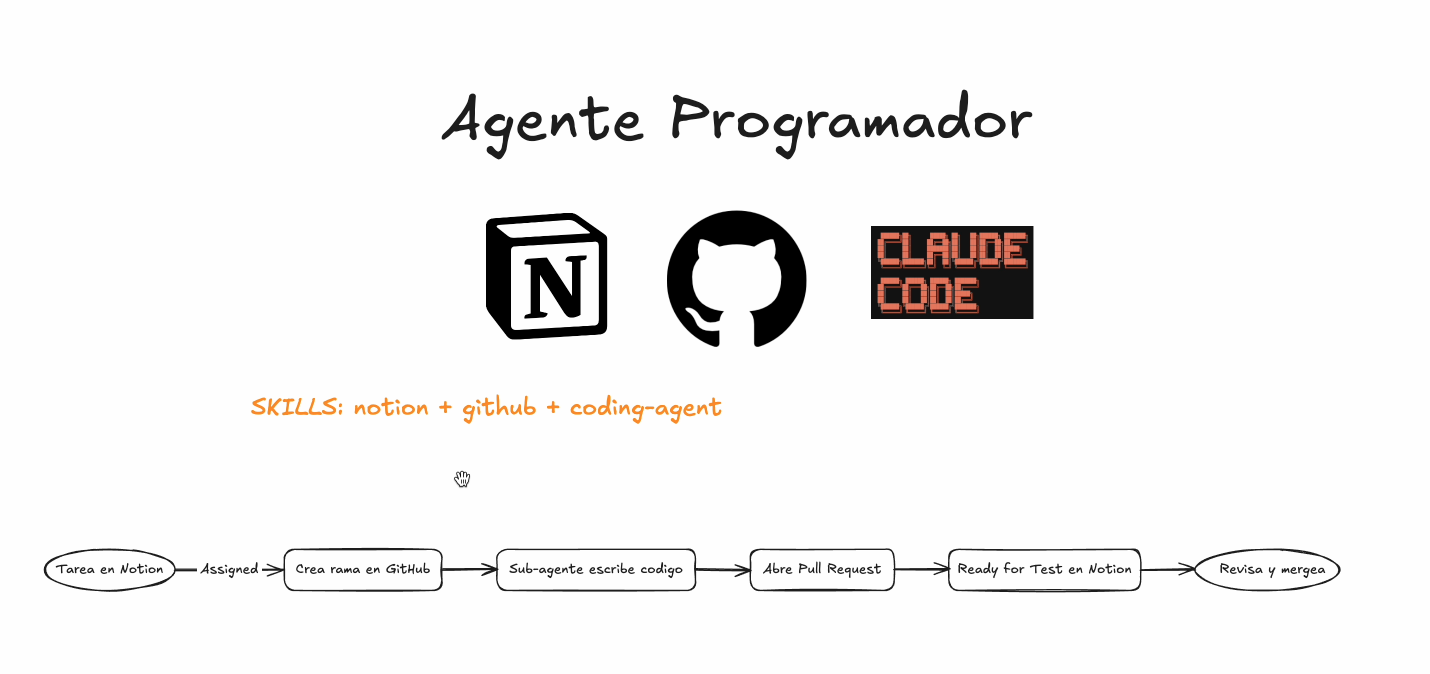
This is my real workflow. Every day. I have my tasks in Notion. When I assign one to the agent, it reads it, creates a branch in GitHub, writes the code — or launches a sub-agent that does it —, opens a PR, and moves the task to "Ready for Test".
I review the PR, approve, and merge. That's it.
But before this works, you need to give it GitHub access. My advice: don't use your personal account. Create a new GitHub account for the agent — that way you control exactly which repos it can access.
Setting up GitHub for the agent
# 1. Inside the OpenClaw container, generate an SSH key:
docker exec -it openclaw-pprt-openclaw-1 bash
ssh-keygen -t ed25519 -C "openclaw-agent"
cat ~/.ssh/id_ed25519.pub
# Copy the public key
Now go to the agent's GitHub account → Settings → SSH and GPG keys → New SSH key → paste the key.
# 2. Verify the connection works:
ssh -T git@github.com
# Should say: "Hi agent-name! You've successfully authenticated"
Last step: from your personal GitHub account, invite the agent's account as a collaborator on the repos you want. Settings → Collaborators → Add people.
clawhub install notion
clawhub install github
# The agent will ask you for Notion and GitHub API keys
2. Summarize
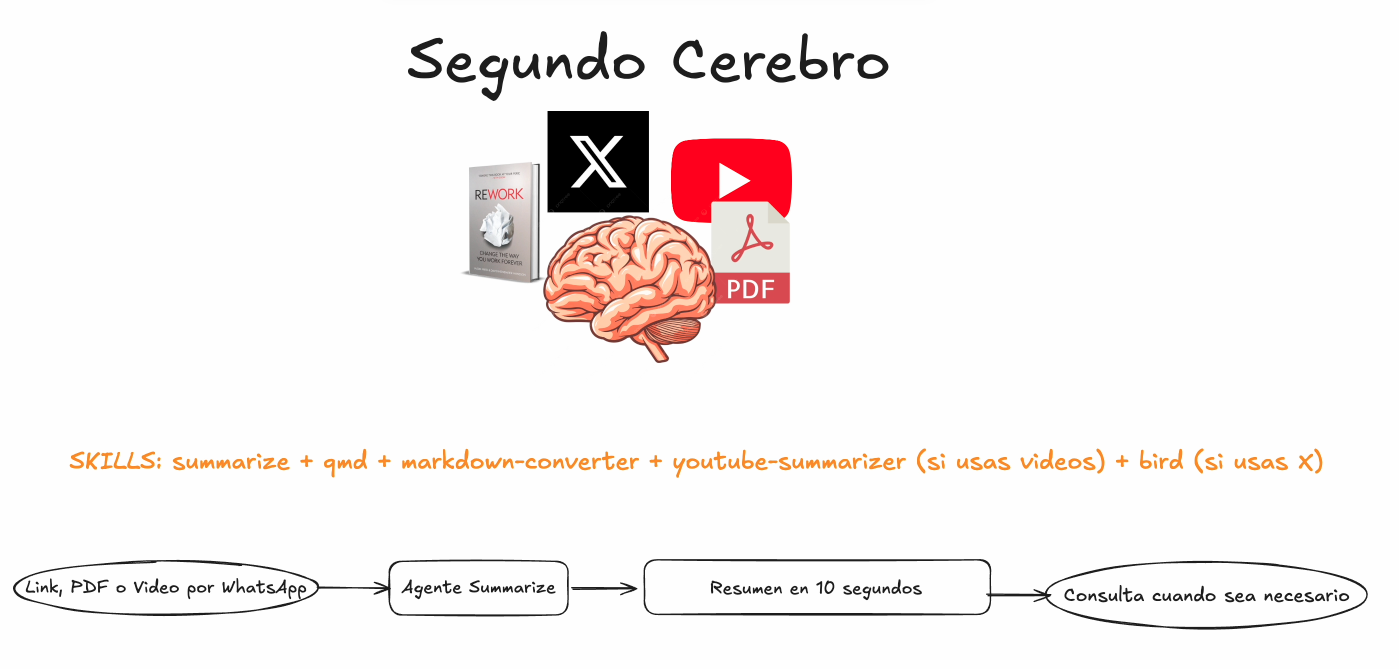
The one I use most without realizing it. Someone sends me a long article, a PDF, a 45-minute YouTube video. I send the link to the agent. Summary in 10 seconds. One skill. Zero configuration.
clawhub install summarize3. Knowledge Base
Memory is extensible. If something is important for your business and falls outside the PARA system, you can add it to the memory folder and it will do similar semantic searches.
For example, I store books I use for copywriting and marketing:
# Prompt to configure your knowledge base:

"Create a knowledge-base/ folder in the workspace.
Inside, subfolders by type: books/, videos/, articles/, threads/.

When I send you a PDF, book, YouTube video, article or X thread:
1. Extract the content (use summarize for links/videos)
2. Generate a structured summary with: title, author, key ideas,
   important quotes, and practical application for my business
3. Save the summary as markdown in the corresponding subfolder
4. Index with qmd update && qmd embed

When I ask something like 'what did X say about Y?',
search knowledge-base/ first before answering
with your general knowledge."
4. SEO → Blog
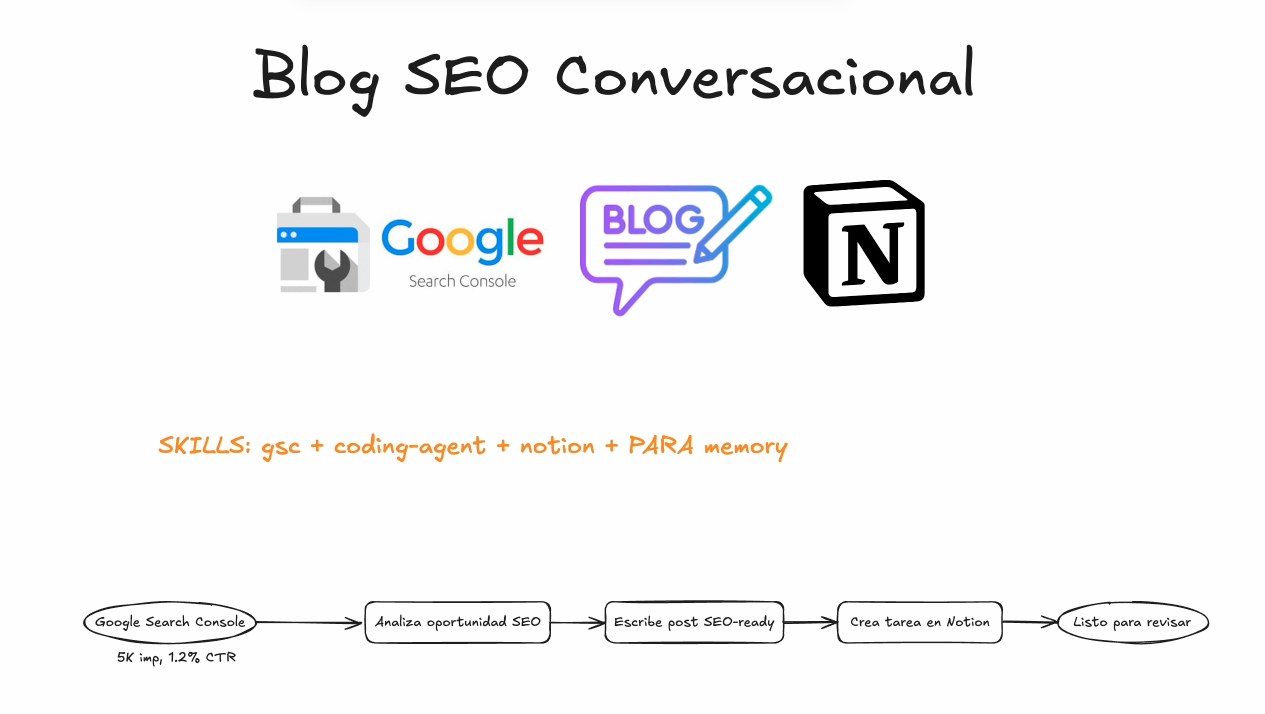
This is the one that surprised me most. I have the Google Search Console skill connected.
I ask: "which pages have lots of impressions but few clicks?"
It returns real data. And from that opportunity, the agent can write an entire blog post optimized for that keyword. With the title, meta description, headers, everything. And leave it as a task in Notion with the complete post ready to review and publish.
From Search Console data to SEO-ready post in one conversation. Without opening a dashboard.
clawhub install google-search-console5. Personal CRM
This one is more subtle but very useful if you do outreach or partnerships. The agent has access to Gmail and its own memory. I ask "when was the last time I talked to so-and-so?" and it knows. It searches my emails, cross-references with what it has in memory, and gives me context.
It's not a CRM with dashboards and pipelines. It's asking someone on your team who remembers everything.
6. Self-Improvement
This skill creates a .learnings/ folder with 3 files:
- LEARNINGS.md — When you correct it, it saves the lesson
- ERRORS.md — When a command fails, it saves what happened and how to fix it
- FEATURE_REQUESTS.md — When you ask for something it can't do, it notes it down
The cycle: you make a mistake or get corrected → it detects phrases like "that's wrong" → creates an entry with what happened and how to do it right → if it's important, promotes it to permanent files → in future sessions it doesn't repeat the error.
clawhub install self-improvementCorrect it once, it never repeats it. These are markdown files the agent reads every time it starts. It's the closest thing to muscle memory for an AI.
Security
OpenClaw has access to your terminal, your files, your API keys. That's what makes it powerful — and what makes it dangerous if you don't configure it properly.
Three minimum things:
1. Always update
openclaw update. Do it. Set it up as a cron job or in the heartbeat so it checks periodically.2. Only skills from verified authors
3. The Hostinger template already covers the basics
The Numbers: How Much It Costs
| Item | Cost | Notes |
|---|---|---|
| Hostinger VPS (KVM2) | From $5/month | OpenClaw template included |
| Claude Code (Max) | $100/month (~90€) | My recommendation. If you already have it, $0 extra |
If you already have Claude Code, the extra cost is just the VPS — from $5/month. If you don't have it, my recommendation is the Max plan at $100/month (~90€). Fixed cost, predictable, no surprises at the end of the month.
How much time do you save? That depends on you. I'm at 30-40% of my work delegated. Everyone is different. But since I have it, I can't imagine going back.
Since I first tried Cursor, nothing has influenced my daily workflow as much.
How to Get Started (Quick Start)
Step-by-step summary to get everything running:
Step 1: VPS
# 1. Go to Hostinger → VPS → KVM2 Plan
# 2. Apply coupon
# 3. Select OpenClaw template
# 4. Wait for installation (~2 minutes)
Step 2: Connect messaging channel
# Connect WhatsApp (scan QR):
openclaw whatsapp link

# Or Telegram:
openclaw telegram link

# Or Discord:
openclaw discord link
Step 3: Create the 4 files
# Go to the agent workspace
cd ~/clawd

# Create the files
nano SOUL.md       # Your personality
nano USER.md       # Your context
nano MEMORY.md     # Starts empty, fills itself
nano HEARTBEAT.md  # Your periodic checks
Step 4: Install basic skills
clawhub install github
clawhub install notion
clawhub install summarize
clawhub install self-improvement
clawhub install google-search-console
Step 5: Restart and test
openclaw gateway restartSend it a message on WhatsApp: "Who are you?"
If it responds with the personality you defined in SOUL.md — it's working.
Step 6 (optional): Configure layered memory
Pass Nat Eliason's post to the agent and tell it to implement it. In 10 minutes it has everything set up.
And the best part: send the link to this video to your agent and tell it you want to implement what's explained here. If it's missing something, it'll tell you what. And from there you can set up everything in one conversation.